 PADCOACH
Plug in your pads.
Connect your MPC or any pad controller over USB or Bluetooth. The lessons play on your hardware, on the layout it already has. No pads with you? The on-screen pads work too.
FINGER DRUMMING TRAINER FOR PAD CONTROLLERS
You can build a beat on your MPC. Playing one live is different. Most of us hunt and peck: one pad at a time, index finger. PadCoach is like learning to type, but for your pads. Practice a few minutes a day on your own controller. Soon both hands move on their own, and the beat in your head goes straight onto the pads. No quantize needed.
One email when it hits the App Store. No spam, ever. Want in early? Ask for a beta invite.
01 / THE LESSON, RUNNING
Notes travel toward the playhead. Cream is your right hand, blue is your left, and the letter on the cap is the finger. Hit the pad as the note crosses the line. The bar below is the boom bap groove from lesson five: kick on 1 and the and of 3, snare on 2 and 4, straight eighth hats.
Simulation A recreation of a PadCoach lesson, built in the browser. It is not the actual app.
MPC PAD LAYOUT
Pad 1 kick, pad 2 snare, pad 3 closed hat, ascending left to right and bottom to top. The same map real hardware has used since the MPC60, so the muscle memory transfers.
Live recreation. Not a video. Shown with a MIDI controller connected: the highway takes the whole screen
02 / HOW IT WORKS
Connect your MPC or any pad controller over USB or Bluetooth. The lessons play on your hardware, on the layout it already has. No pads with you? The on-screen pads work too.
Every note tells you which pad, which hand, which finger, right before you need it. No sheet music. No pausing videos. No guessing what to practice today. You just play, and the skill builds underneath you.
Each lesson teaches one new move, drills it, then folds it into a full beat. Every session ends with you playing real music, not exercises. Pass and you move on. Miss and you try again, with a slower speed offered, never forced.
03 / THE CURRICULUM
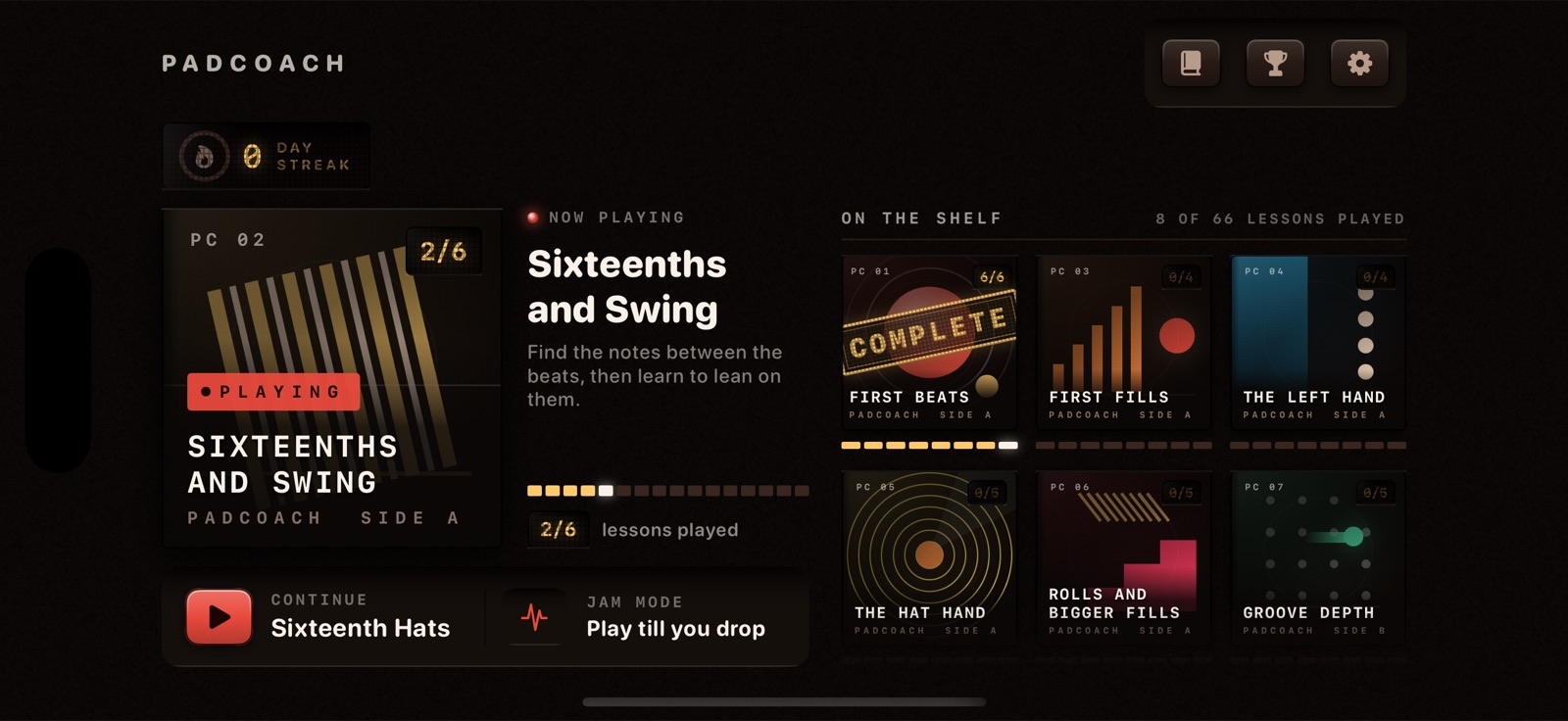
The courses are built like a record collection, in a set order: one new idea per lesson. The challenge grows through your hands, the pads and the patterns long before the tempo ever goes up.
The number stamped on each sleeve is how many lessons that course holds.
TURN IT OVER
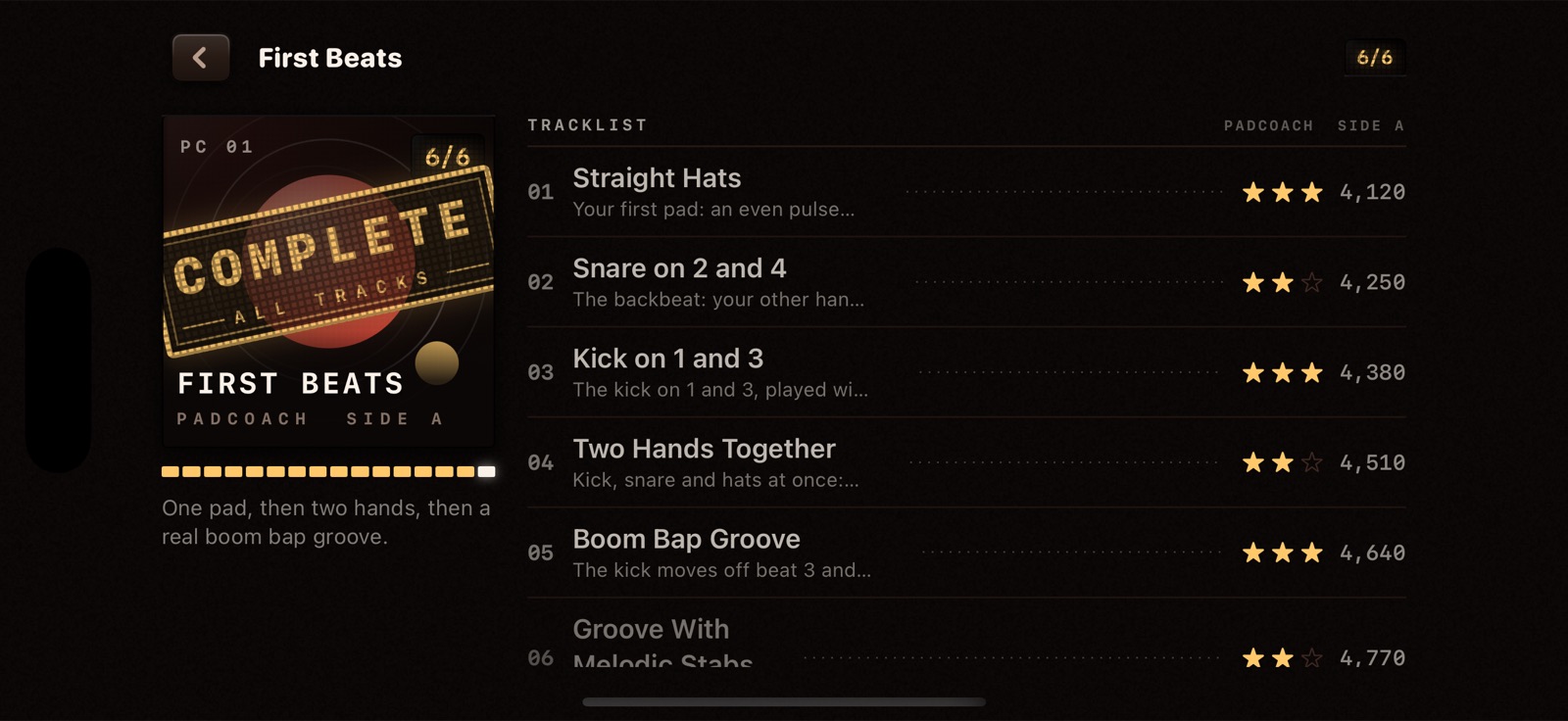
Open a sleeve and you get the tracklist: every lesson in the course, the stars you earned, and your best score on each one. Finish all of them and the sleeve takes the stamp.
04 / WHY IT STICKS
HANDS AND FINGERS
Every note shows a hand and a finger. The lesson decides, so you never guess, and you build good habits from day one. Soon your hands land kick, snare and hat without you looking down. Left handed? Every lesson flips for you.
SCORING
When PadCoach says you own a groove, you own it. A Perfect hit lands within 25 milliseconds of the beat, and a pass is never a free one. So when you play in front of someone, your hands hold up.
PACING
One new idea per lesson, and nothing shows up before the lesson that teaches it. You drill each move on its own first, then play it inside the full beat. The hard part always arrives when your hands are ready for it.
PRACTICE TOOLS
The part that beat you on Monday is yours by Friday. Slow any take down and build it back up. Or turn on Wait Mode, and the beat waits until you hit the right pad. The same tools a patient teacher would use.
05 / WHAT YOU GET
06 / WHAT YOU PLAY ON
PadCoach is built for the controller you already own, because that is where the beats get made. Every lesson uses the layout your hardware already has, so every hour you put in lands on your own instrument.
Some controllers do not speak plain MIDI (NI Maschine is the usual one), so they will not show up. If your controller works in other iOS music apps, it will work here.
WORKS WITH YOUR PADS
If it sends plain MIDI over USB or Bluetooth, it should just work. These are the pads the finger drumming community plays most, not a certified list.
READY WHEN YOU ARE
Plug in your pads. Follow the highway. By the end of the first course you are playing a boom bap beat with both hands on your own controller, and you will know exactly which finger does what.
One email when it hits the App Store. No spam, ever.